ChatGPT Ads Now Rewrites, Translates and Redirects Your Ads by Default Starting October 30, and Adds a Multi-Image Format
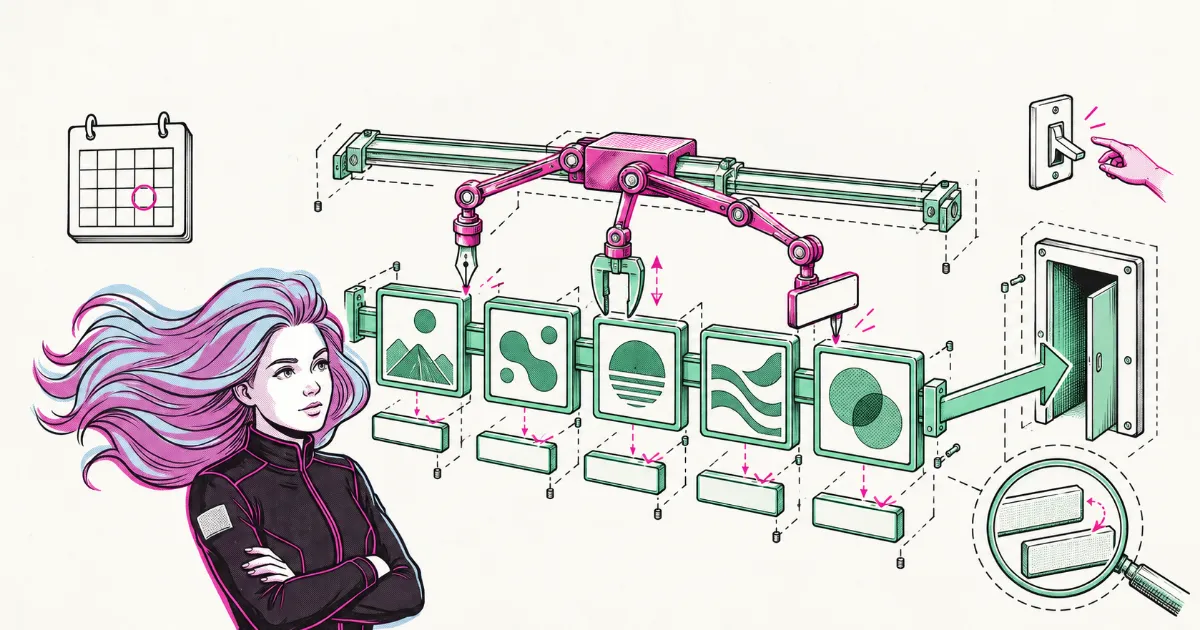
In September, adapting an ad's text to the conversation was something the advertiser chose to turn on. Starting Friday, October 30, 2026, OpenAI enables creative enhancements automatically for new and existing ChatGPT Ads campaigns: the system can rewrite headlines and descriptions, translate the text, resize images and send the click to a different page on your site, without anyone approving each version. Four days earlier, on October 26, 2026, Ads Manager added the multi-image format as an open beta, meaning it's still being tested. Of the two, the first is the one that asks for a decision.
From an Opt-In to a Setting That Ships On
Text adaptation went from optional to on by default, and picked up more things it can touch along the way. In our note on optimizing for view conversions, based on the product email OpenAI sent advertisers on September 16, 2026, the feature was called text customization and was opt-in: it adapted existing headlines and descriptions to the conversation's context, could translate the copy into the user's language, and the advertiser decided whether to turn it on. At the time that ran opposite to Google AI Max, where text customization starts enabled on some Search campaigns that migrate automatically.
The creative enhancements help page says that starting October 30, 2026 the setting is enabled automatically. OpenAI doesn't say whether it's the same feature under a new name, so the comparable part is the scope: in September it was text and translation, and now the list also includes the destination URL and image size. Accounts or campaigns where someone had already opted out keep that choice, and a campaign's setting takes priority over the account default. You can review and change it at any time in Ads Manager under Manage settings.
What OpenAI Can Change Without Asking for Approval
According to the page, creative enhancements can change four elements of the ad:
- Headlines and descriptions: new or updated text to connect your offering to the conversation or the user's interests.
- Language: OpenAI may translate your ad text into another language.
- Images: they may be resized to fit the ad format.
- Destination URLs: they may be optimized to direct people to a relevant page on your website.
To do this it draws on the context of the conversation or the user's interests, the ad you uploaded and the content of your landing page, the page someone reaches after clicking. Variations may be prepared in advance or generated on the fly based on the conversation, and with the setting on they can run automatically without you reviewing or approving each version. In the FAQ, OpenAI adds that the experience does not provide a preview of every variation.
On images, the page declares resizing and nothing else. The suggested ad drafts that already existed in Ads Manager, per the ad creation guide, prefill a draft with your site's metadata for you to review, and the same guide states they don't generate new copy or imagery with AI.
Four to Six Squares That Lead to One URL
The multi-image format is chosen under Ad format, between "Single image" and "Multiple images", and it's available for standard campaigns with Reach, Clicks or Conversions objectives. A multi-image ad takes 4 to 6 square images, all at a 1:1 aspect ratio. Each image is clickable and all of them go to the same URL, so UTMs, the parameters you add to a link to see in analytics where a visit came from, are set once and apply to the whole set. For now, the call to action is fixed to "Learn more".
This format is a production question before it's a cropping one. You can't send each image to a different product page, so the set works best as a sequence or a small catalog under one message and one page that holds it together. Because the format is in beta and OpenAI hasn't published performance data, we recommend testing it on one campaign before rebuilding the account, and only if you have four pieces that say different things.
Where to Turn It Off and Where to Compare
For regulated categories such as finance, health, alcohol or gambling, and for brands that work with copy approved by their legal team, we recommend turning creative enhancements off at the campaign level until OpenAI documents three things: whether rewritten or translated text goes through policy review, whether there's a way to preview it, and which languages translation covers. With what the page describes, a variant that legal wouldn't sign off on can run without anyone seeing it first.
For everyone else, if the budget allows, it's worth keeping one campaign with the setting on and another with it off, with the same objective and a comparable budget. Ads Manager reporting goes down to the ad level, but the page doesn't describe a breakdown by adapted version, and OpenAI states that changes over time do not, on their own, establish the effect of creative enhancements. It also doesn't say it splits traffic randomly between the two campaigns, so what you're comparing is campaign against campaign. On a small account, splitting the budget in two can leave each half without enough volume to read a difference. In that case the reasonable move is to decide by category, write down the date of the change and not move other variables at the same time; for a read that doesn't rely only on OpenAI's reporting, the options are in our note on measuring ChatGPT ads.
Whether the setting is on or off, the landing page becomes raw material for the ad. OpenAI advises keeping prices, promotions, product details and availability current. Since the destination URL can be optimized, any page on your site that could receive that click needs to be ready for it. The creation guide also asks that landing pages not block OpenAI's crawlers (OAI-AdsBot and OAI-SearchBot), which is worth checking in your robots.txt and your firewall.
The Questions the Documentation Leaves Open
The page doesn't say which languages translation covers, whether the adapted text goes through policy review, how the destination URL is chosen or whether pages can be excluded. It also doesn't say whether users can tell an ad was adapted, whether resizing crops the images, or whether the setting can be reviewed across many campaigns at once. Some of these may exist without being documented, but for now you can't plan around them.
OpenAI declares no country limit for either change: they're account settings in Ads Manager, though that doesn't establish that they work the same in every language. As context, the October 21, 2026 announcement we covered in our note on ChatGPT Ads in Latin America added 26 countries to ChatGPT Ads, 89 in total.
This content was developed with AI assistance and reviewed by the Zenda team. Any bad ideas are entirely our own.